Maximum file size: 50MB
AI blurs your background in seconds — subject stays sharp
Your blurred photo will appear here
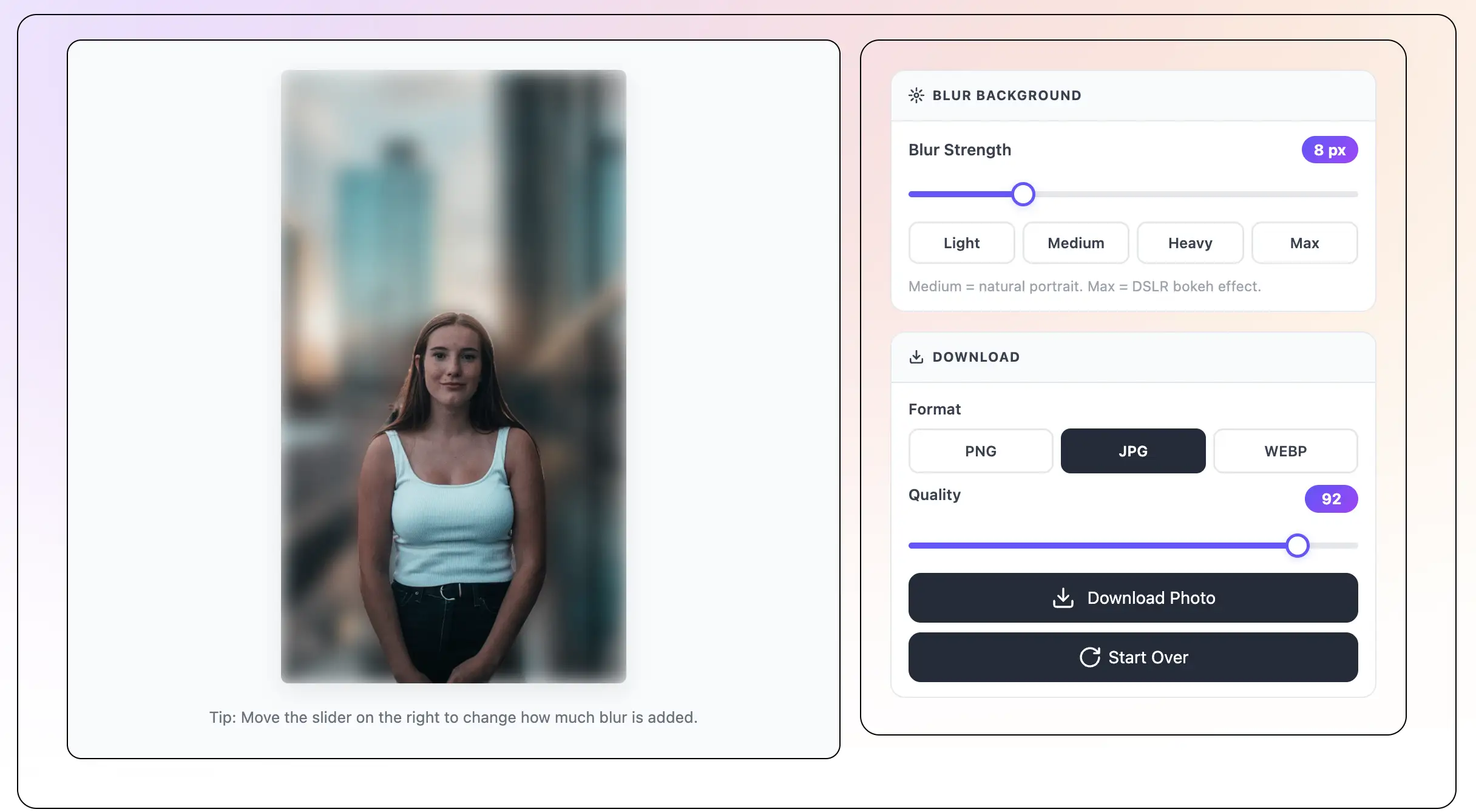
Tip: Move the slider on the right to change how much blur is added.
Drag and drop your photo, click to browse, or paste a URL. Try one of our sample photos to see the DSLR effect right away. Accepts JPEG, PNG, and WebP up to 50MB.
The AI finds the main subject in your photo and separates it from the background. This takes just a few seconds.
Click the Heavy (20) or Max (30) preset button for a strong DSLR bokeh effect. Or use the slider to dial in the exact amount of blur you want. The preview updates instantly.
Click Download. Choose PNG, JPG, or WebP. The photo saves to your device with no watermark and no sign-up.
What is DSLR Background Blur?
DSLR background blur is the blurry, out-of-focus background you see in photos taken with professional cameras. It is also called bokeh or shallow depth of field. DSLR cameras create this effect with a big lens and a wide aperture. This free AI tool adds the same DSLR bokeh effect to any photo — even one taken with a phone. Upload your photo, set the blur to Heavy or Max, and download. No DSLR camera needed. No app. No sign-up. No watermark.
The AI finds the subject and blurs the background to create a smooth, creamy bokeh effect — the same look that DSLR cameras and big lenses produce.
Move the blur slider to control the depth of field effect. Set it to Heavy or Max for a strong DSLR look. Use Medium for a portrait mode effect that looks like a phone camera.
You do not need a DSLR camera to get this look. This tool adds a bokeh background to any photo — portraits, selfies, products, pets, and more.
Save your photo in PNG, JPG, or WebP at full resolution. No watermark. The file saves to your device.
Get the DSLR look for free. No expensive camera, no editing software, no account. Just upload and download.
The AI runs inside your browser. Your photo is never sent to a server. It stays on your device.
DSLR photos look different from phone photos for one main reason: depth of field. A DSLR camera with a big lens can focus sharply on the subject while the background goes completely out of focus. This is called shallow depth of field, and the blurry background is called bokeh.
Phones have small lenses and try to keep everything in focus. Modern phones add a portrait mode feature to fake this effect using AI — but it only works when you take the photo. This tool lets you add the same DSLR blur effect to any photo, even old ones taken without portrait mode.
Bokeh (pronounced BOH-keh) comes from a Japanese word meaning blur or haze. In photography, bokeh refers to the quality of the blurry, out-of-focus areas in a photo. A good bokeh looks smooth, creamy, and soft — not messy or distracting.
Photographers use big, expensive lenses to create beautiful bokeh. A lens with a wide aperture (like f/1.8 or f/1.4) creates a very shallow depth of field and a smooth, creamy bokeh background. This tool simulates that same look using AI — for free, on any photo.
Use these settings to match different DSLR styles:
The DSLR bokeh effect works great for many types of photos:
All free, no sign-up — same photo works across every tool
Save TextBehindImg
Press Ctrl+D (or ⌘D on Mac) to bookmark and come back anytime it's free forever.