Drag the photo to move it. Pinch or scroll to zoom. Put the top of the head on the dotted line and the chin in the green band.
Print the sheet at 100% size on photo paper. Do not pick "fit to page". A 4 × 6 print costs very little at most pharmacies and photo shops.
We follow the published rules, but only the passport office can approve a photo. Always check the latest rules on the official government website before you apply.
Private by design. Your photo never leaves your device. The AI runs right in your browser.
Stand about 1.2 m from the camera. Use soft daylight. Look straight ahead with a neutral face.
Australia passport is already picked. The AI adds a plain background and sizes your head to 32 to 36 mm.
Put the top of your head on the dotted line and your chin in the green band.
Download the 4 × 6 inch or A4 sheet. Print it in color on photo paper at a photo shop, at 100% size.
What Does an Australian Passport Photo Need?
An Australian passport photo is 35 to 40 mm wide and 45 to 50 mm high. Your face, from chin to crown, must be between 32 mm and 36 mm. The background must be plain and light. Photos must be printed in color on good photo paper, and be less than 6 months old.
This tool makes a 35 × 45 mm photo, which fits the rules. Upload a photo, and our AI puts a plain background behind you and sizes your head. Then download a print sheet and print it at a photo shop.
It is free, with no sign up and no watermark.
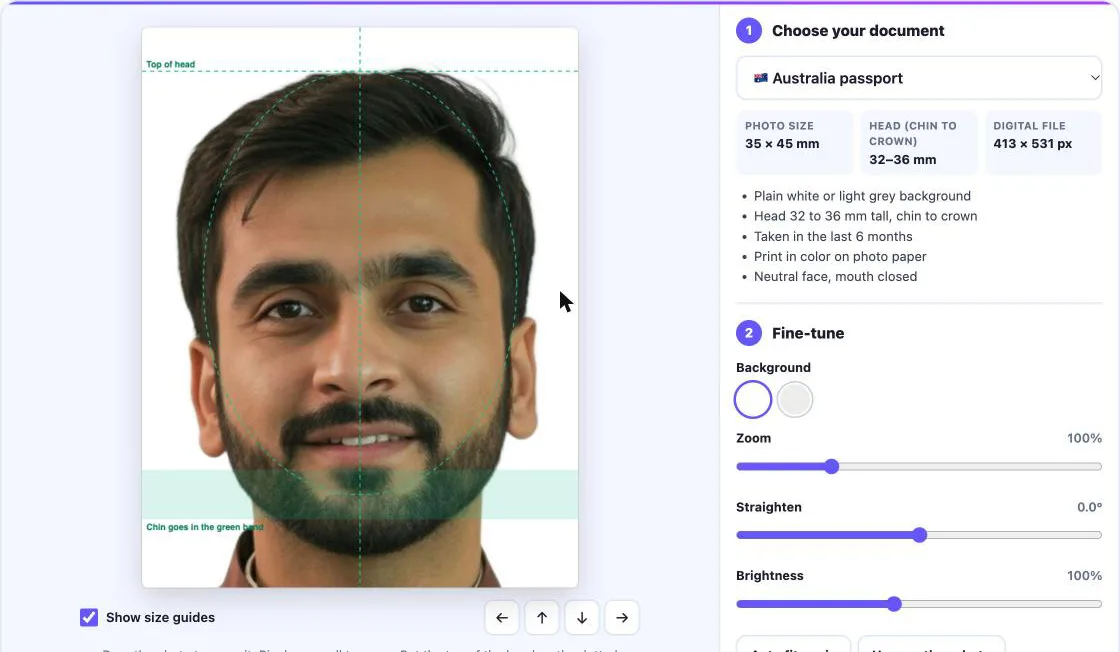
The tool puts a plain white or light grey background behind you, as Australian rules ask.
The tool finds your head and sizes it so chin to crown is 32 to 36 mm.
Green guides and live checks show head size, centering, and sharpness.
Download a print sheet in color. Print it on photo paper, not plain paper.
Grey lines on the sheet show where to cut, so every photo is the right size.
Your photo stays on your phone or computer.
See the full rules on the Australian Passport Office's passport photos page. Some applications also need a guarantor to sign the back of one photo, so check your form.
All free, no sign-up — same photo works across every tool
Save TextBehindImg
Press Ctrl+D (or ⌘D on Mac) to bookmark and come back anytime, it's free forever.