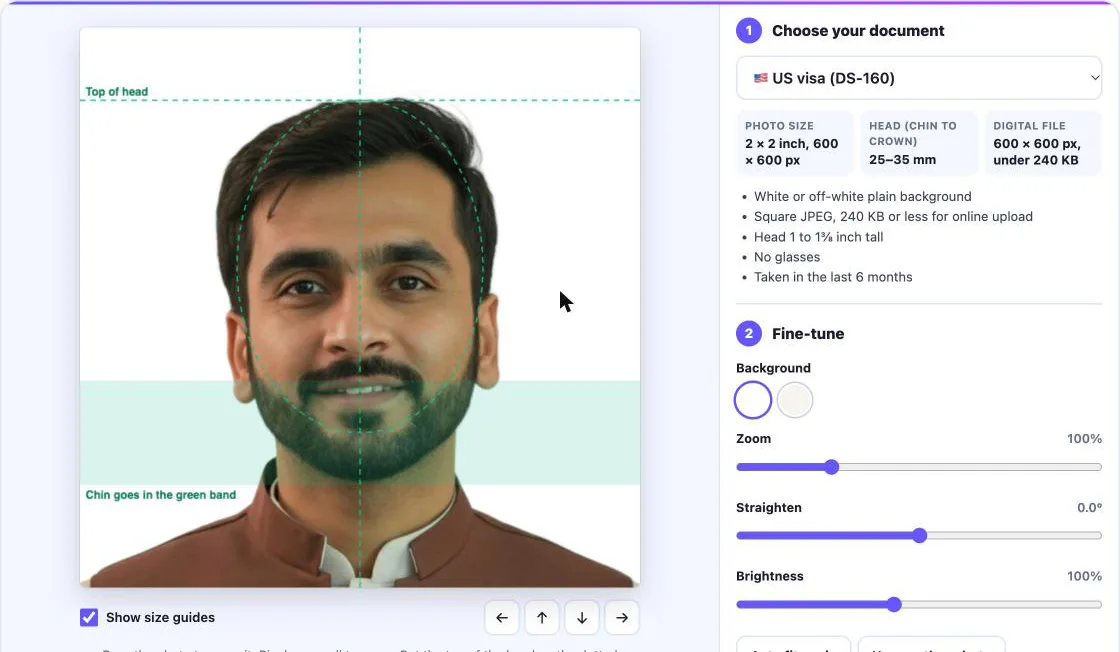
Drag the photo to move it. Pinch or scroll to zoom. Put the top of the head on the dotted line and the chin in the green band.
Print the sheet at 100% size on photo paper. Do not pick "fit to page". A 4 × 6 print costs very little at most pharmacies and photo shops.
We follow the published rules, but only the passport office can approve a photo. Always check the latest rules on the official government website before you apply.
Private by design. Your photo never leaves your device. The AI runs right in your browser.
Face the camera in soft light. Take off your glasses. Keep a neutral face with both eyes open.
US visa is already picked. Upload your photo. The AI makes the background white and centers your head.
Your head should touch the dotted line, and your chin should sit in the green band.
The 240 KB limit is set for you. Press Download digital photo, then upload the JPG in your DS-160 form.
What Does a US Visa Photo Need?
When you fill in the DS-160 form for a US visa, you upload a photo. It must be square, at least 600 by 600 pixels, and a JPEG file. For the Diversity Visa (green card lottery), the file must be 240 KB or smaller. The background must be white or off-white, and you cannot wear glasses.
Many people get stuck on the file size or the square crop. This tool fixes both. Upload a photo, and our AI makes the background white, sizes your head, and saves a 600 by 600 JPG that stays under 240 KB.
It is free, and your photo never leaves your device.
Any wall works. The tool puts a plain white background behind you, as the DS-160 form needs.
The tool crops your photo to a square and sizes your head to fit the range.
See if your head is centered and the photo is sharp, before the form says it failed.
Your download is a square JPG at 600 × 600 pixels, the size the DS-160 form takes.
Pick the 240 KB limit. The tool shrinks the file to fit and keeps the face clear.
Your photo never leaves your device, so it is safe to use for a visa.
The full rules are on the US State Department's visa photo page. The DS-160 form also checks your photo when you upload it. If the form says the photo failed, read the reason, fix it in the tool, and download again.
All free, no sign-up — same photo works across every tool
Save TextBehindImg
Press Ctrl+D (or ⌘D on Mac) to bookmark and come back anytime, it's free forever.